

I still tell most established coaches and consultants to run their business on Kajabi. I say that after using it since launch, testing most alternatives, and spending millions of dollars on Meta and Google ads to send people into funnels built on Kajabi.
It’s not cheap. It isn’t a full sales CRM. And if you haven’t made your first sale yet, start somewhere cheaper.
But if people already pay you for what you know and you want to sell more of it, Kajabi pays for itself. Your pages, checkout, emails, automations, community and courses all share one contact list. Nothing to duct-tape together.
This year it also got a lot faster to use. I connect Kajabi to Claude, describe the launch I want, and review the drafts it builds inside my account. Their advanced toolkit works great for launching courses, workshops, webinars, challenges and coaching programs.
Why I’ve stuck with Kajabi since their launch
I was one of the original Kajabi Founder members when the marketing automation platform launched as New Kajabi in 2015(a more basic Kajabi originally launched in October 2010) and all their videos were made by the founders, Travis Rosser and Kenny Rueter.
Over the years, I’ve used it for courses, memberships, group programs and hundreds of live workshops. I fill most of those workshops with paid ads. So traffic hits a page, people register, some show up, some buy, and every one of them needs a different email after that.
That’s exactly where a patchwork of tools falls apart. I’ve seen it with clients again and again. The page builder doesn’t talk to the email tool, a Zapier step quietly fails, and someone who already bought keeps getting the “doors are closing” email, which looks unprofessional.
In Kajabi, all of that lives on one contact record. I can see who opted in, who showed up, who bought and who stalled at module two.
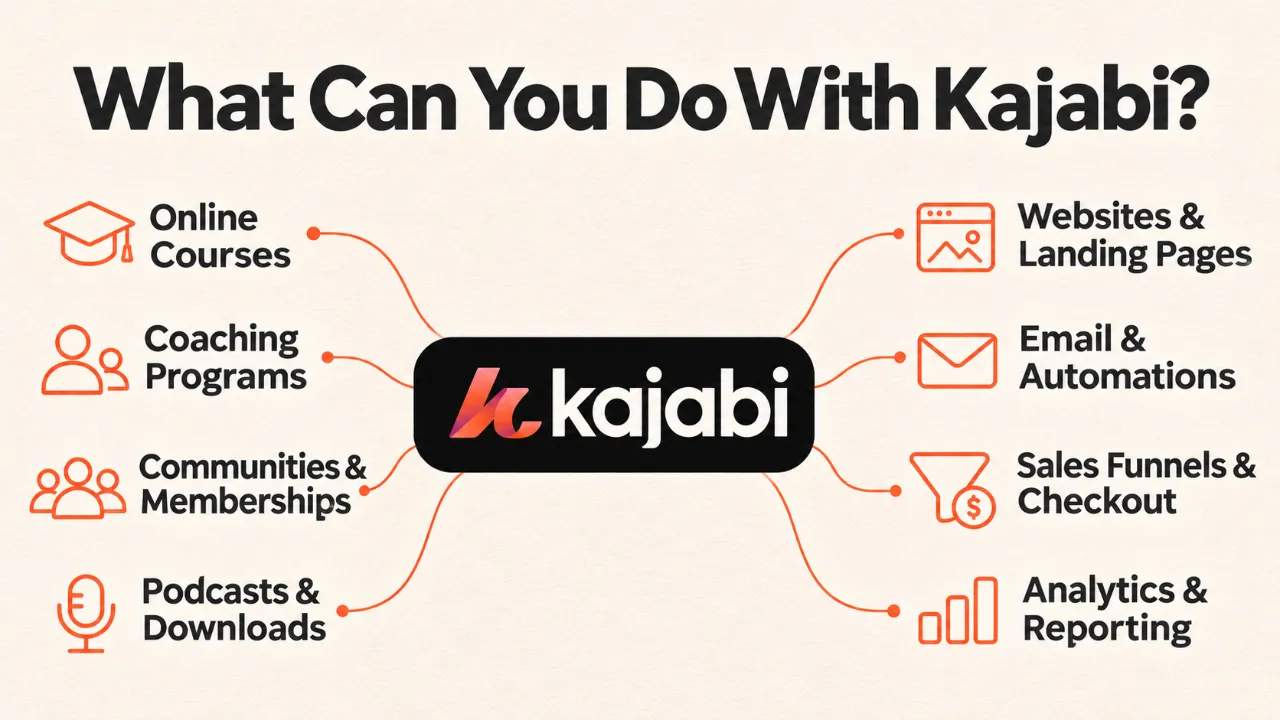
Kajabi has grown a lot since those early days. It started as a way to host and sell video courses. Now it runs websites, funnels, email, automations, communities, coaching, events, a branded mobile app and AI agents.
The idea behind it hasn’t changed, though. One login for the whole business.
Want to try it out for yourself? Sign up through my Kajabi affiliate link and I’ll send you my live workshop funnel. I built it for coaches who want to bring in three to eight new clients a month by teaching one live workshop.
You can test the whole funnel during your free trial. Add your workshop topic to the registration page, sign up as an attendee, and see how the reminders and follow-up emails work.
It’s an affiliate link, so I earn a commission if you sign up, at no extra cost to you. I only recommend tools I run my own business on, and I’ve been on Kajabi since it launched.
Courses got easy to make. They got harder to sell.
AI changed course creation. You can outline a program, script the lessons, write the sales page and build the landing page in a weekend.
So can everyone else in your niche.
Buyers have noticed. There are more courses than ever, and people are more skeptical than ever. Good content on its own doesn’t sell anymore. Trust does. So does a clear result, plus a follow-up system that keeps showing up after the first click.
That changes how I pick an online course platform. I care less about the course player now. I care a lot more about how well a tool captures leads, tags them, follows up and turns them into buyers.
The model I teach is simple: productize your genius. A free live workshop or lead magnet, then an email sequence, then a core program, then a coaching tier or mastermind for the people who want more.
Kajabi makes it easy to run all of this in one dashboard.
What you can sell: courses, memberships, coaching and masterminds
Everything you sell in Kajabi is a product. You sell products through offers, and one offer can bundle several products. That’s how you build a mastermind or a premium tier without any hacks.
| Product type | What you get | Notes |
|---|---|---|
| Courses | Modules, lessons, video hosting, drip release, quizzes, completion tracking | Live cohort courses need Growth or Pro |
| Memberships | Recurring access to a library, a community or both | Monthly or annual billing, payment plans |
| Coaching | 1:1 or group coaching packages with scheduled sessions | Sessions and calendar live inside Kajabi |
| Community | Discussion feed, channels, challenges, meetups and events | 1 community on Basic and Growth, 3 on Pro |
| Masterminds | One offer that bundles community, group calls, a course and coaching | Built from the pieces above |
| Downloads and events | Templates, workbooks, live events and webinars | Handy for lead magnets and workshop replays |
Students get a clean course player with progress tracking. On Pro, you also get your own branded mobile app, which isn’t something I’ve taken advantage of.
For masterminds, the bundling makes a big difference. I can put a private community, a recorded curriculum, a coaching program and a calendar of group calls into one offer. Someone pays and then everything unlocks. When they cancel and it all locks again and I don’t have to touch a thing.
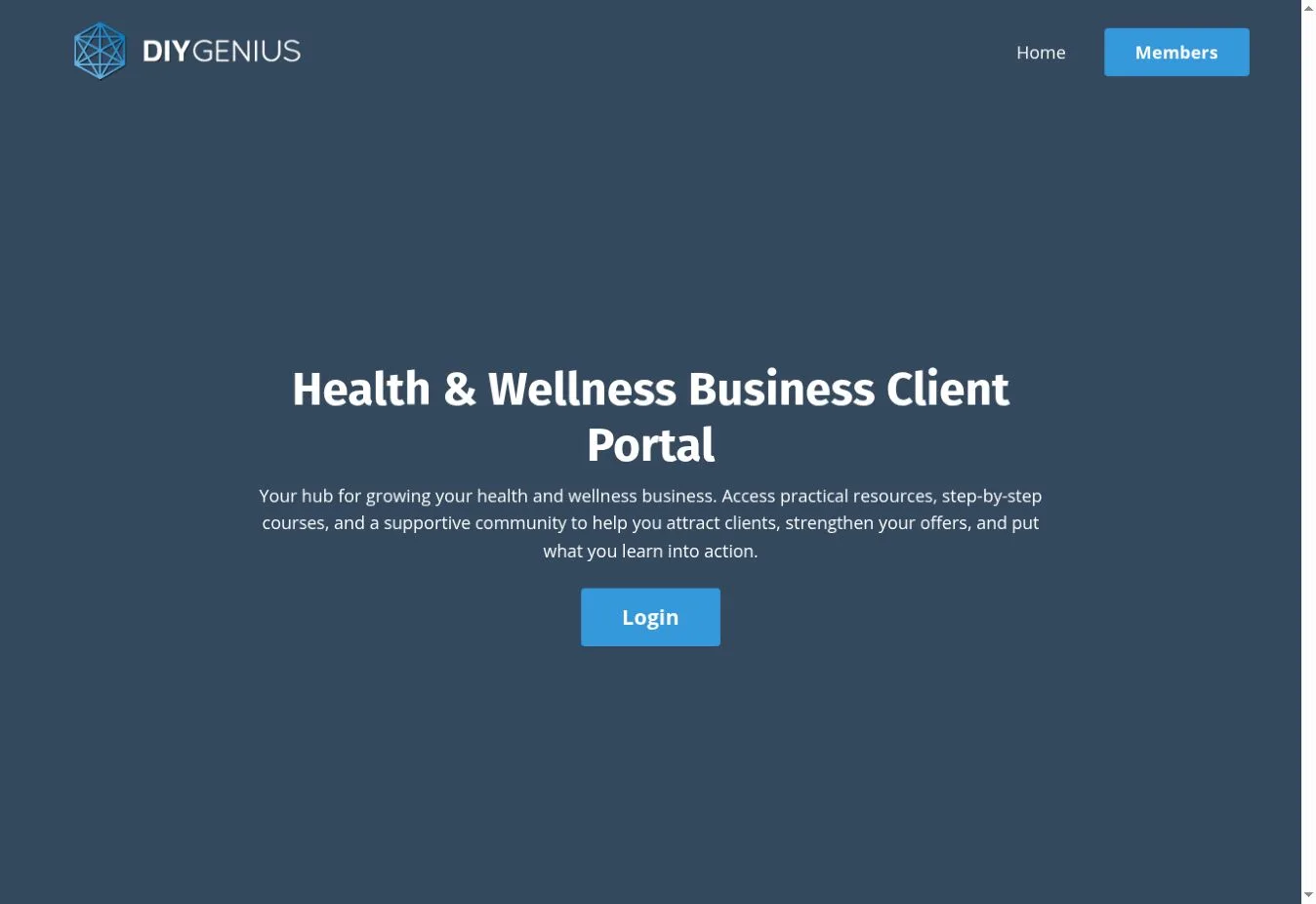
One caveat on community. Kajabi’s version is fine for people inside a paid program. If the community itself is your main product, Skool goes deeper (but it lacks all the marketing automation, emails, landing pages, etc. that Kajabi makes easy).
The marketing engine is why you pay for Kajabi
Every plan comes with unlimited marketing emails, landing pages and funnels. Your bill won’t go up because your list got bigger and you are emailing your list more.
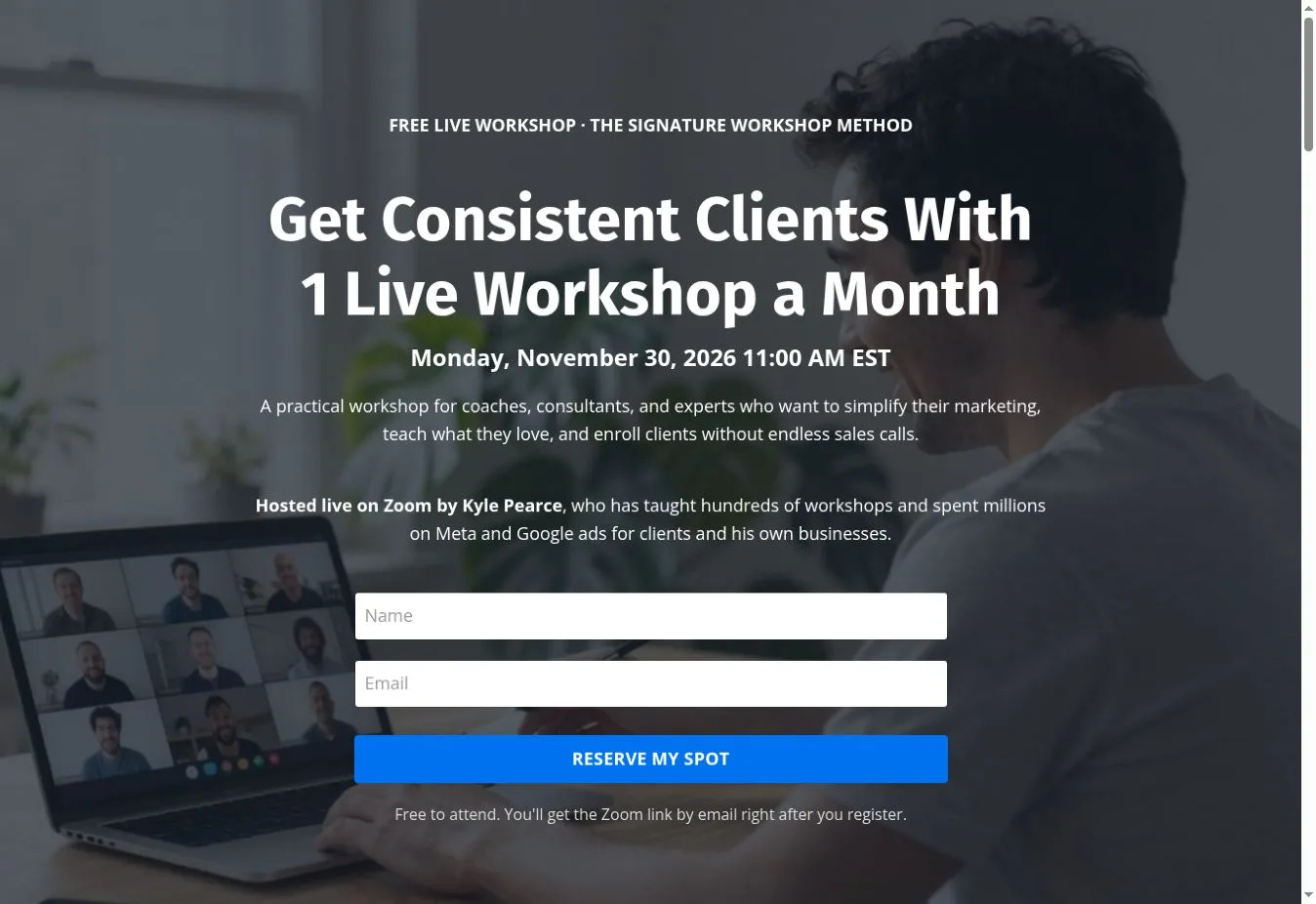
Here’s a workshop funnel I’d build for a client, start to finish, in one account:
- A Meta ad sends people to a Kajabi landing page with a registration form.
- The form tags the contact and kicks off the reminder emails.
- The workshop runs as a Kajabi event, and attendees get tagged when they show up.
- Everyone who registered gets the replay and a time-limited offer.
- Checkout handles the sale, a payment plan or an order bump.
- The purchase unlocks the program, pulls the buyer out of the sales emails and starts onboarding.
- Course finishers get invited to the coaching tier or mastermind.
No Zapier. No separate email tool. No separate checkout. Fewer tools means fewer things break, fewer monthly bills, and one place to look when sales drop or something .
Email covers broadcasts, sequences and segments based on tags, purchases and form activity.
Automations are where the plans split. Basic gets simple triggers and actions. Growth and Pro add IF/THEN logic based on course progress, purchases and email engagement. So the person who finished the last module gets a different email from the person who stopped at module one. That kind of follow-up is what lifts sales.
Checkout handles one-time payments, subscriptions, payment plans, order bumps, upsells and coupons through Kajabi Payments. Stripe and PayPal works too.
Growth also adds an affiliate program, comment-to-DM and removal of Kajabi branding. If you know other coaches who serve the same people, affiliates are one of the cheapest ways to fill a workshop.
Contacts and CRM: enough for coaches, not for sales teams
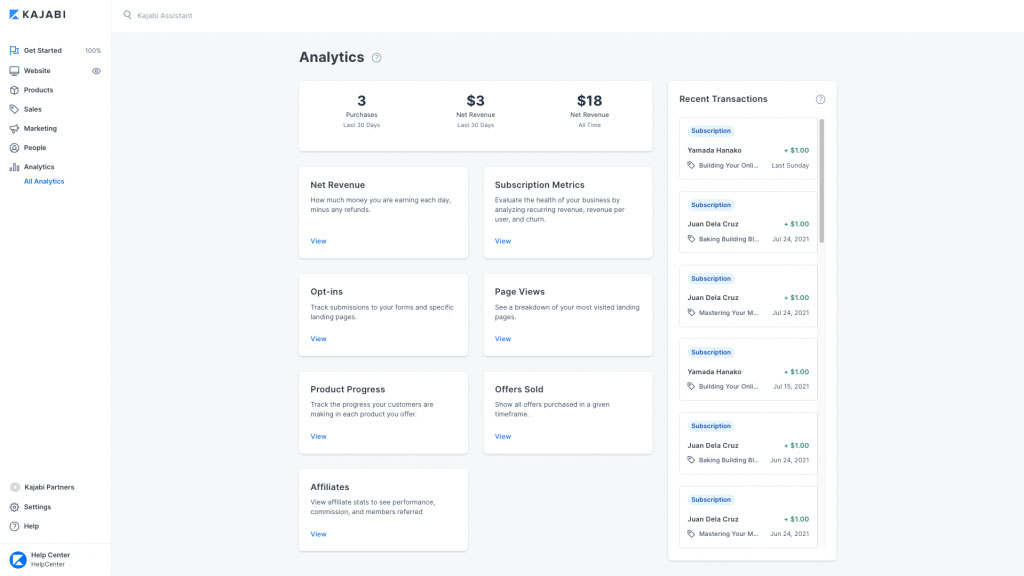
The contact record is where the one-system idea pays off most. Every contact shows their tags, forms, purchases, course progress, community activity and email history. You can segment on any of it and trigger automations from it.
For most coaches, that’s all the CRM you need. You can see which lead magnet someone came from, whether they showed up to the workshop, what they bought, and whether they’re a past client you should invite into the mastermind.
What you won’t find is a sales pipeline like the one in GoHighLevel or Pipedrive. Kajabi gives you tags, filters and purchase history, but no deal stages or lead scoring. No SMS or calling either.
So if you sell high-ticket coaching through sales calls with a setter and a closer, add a calendar tool and a light CRM. If you sell through workshops, webinars and email, Kajabi has you covered.
Watch the contact caps, though. Basic allows 2,500 contacts, Growth 25,000 and Pro 100,000, and each extra block of 25,000 costs $125 a month. Clean your list before you import it.
Kajabi’s AI tools and how their MCP changed how I launch
Kajabi now has three AI tools. Two are nice to have and personally, I don’t really use them. The third is the Kajabi MCP and that has completely changed how I build launches.
| Tool | What it does | Cost |
|---|---|---|
| Cofounder | In-app assistant that plans offers, drafts content and builds pages and automations | Included in your plan |
| Expert Agents | A Sales Agent on your sales pages and a Teaching Assistant inside your courses, trained on your Kajabi content | $79 a month per agent |
| Kajabi MCP | Connects Claude, ChatGPT, Cursor and other AI tools straight to your account | Included in every plan |
How the MCP works
MCP stands for Model Context Protocol. It’s an open standard that lets an AI assistant work inside other software. You add Kajabi as a connector in Claude or ChatGPT, approve what it’s allowed to touch, and the AI can read and build in your account.
It works with pages, emails, offers, courses, contacts, orders, tags, segments, blog posts and site settings, and it can post in your community. Claude or ChatGPT can also draft automations and wire up the triggers and actions for you.
What I use it for
Kajabi’s own example is a flash sale. You ask for a 30% off offer on a course next Tuesday, a broadcast announcing it and an updated landing page. MCP builds all three as drafts, and you hit publish.
I get the most out of it on new launches. First I work through the offer and positioning with Claude. Then I tell it to build the offer, the workshop registration page, the reminder emails and the follow-up sales sequence. That used to mean a full day of clicking through builders. Now I mostly review and tweak.
The guardrails
Anything MCP writes is saved as a draft, and you publish from the Kajabi admin. It won’t process payments, act on behalf of customers or send live email blasts. Risky actions like theme code edits are off by default, and Kajabi recommends leaving per-action approval on.
I like it that way. The AI does the grunt work and I still decide what goes out to my list.
Should AI be the reason you pick Kajabi?
No. Claude or ChatGPT can write a course outline or a sales page for any platform. What MCP gives you is an AI that builds right where your contacts, offers and automations already live. That’s what makes having everything in one system faster, not just tidier.
What does Kajabi costs in 2026?
Kajabi runs $143 to $399 per month on annual billing, or $179 to $499 per month. Prices went up across the board in January 2026, and the old $89 Kickstarter plan was removed from the public pricing page.
| Basic | Growth | Pro | |
|---|---|---|---|
| Annual billing (per month) | $143 | $199 | $399 |
| Monthly billing | $179 | $249 | $499 |
| Products | 5 | 50 | Unlimited |
| Contacts | 2,500 | 25,000 | 100,000 |
| Websites / communities | 1 / 1 | 1 / 1 | 3 / 3 |
| Admin users | 2 | 11 | 26 |
| AI credits per month | 0 | 500 | 1,000 |
| US card rate (Kajabi Payments) | 2.9% + $0.30 | 2.8% + $0.30 | 2.7% + $0.30 |
| Surcharge if you use your own Stripe | +2% | +1% | +0.5% |
Kajabi doesn’t take a cut of your sales, but the processing fees add up. International cards cost 1.5% more. Subscriptions and payment plans add 0.7% per payment. If you connect your own Stripe account, you pay the surcharge in the table on top, but only in countries where Kajabi Payments is available. PayPal is exempt.
There’s no free plan. You get a 14-day trial and a 30-day money-back guarantee.
Which plan would I pick? Growth. Basic’s 5 products and 2,500 contacts are tight once you have a ladder of offers, and it’s missing advanced automations and affiliates. Move to Pro when you want a branded app or you’re running more than one brand.
Is it expensive? Compare it to the stack it replaces. A course host, email tool, page builder, checkout and community can easily run $200 to $400 a month before you add Zapier. Growth covers all of it for $199 a month. The bigger saving is the hours you stop spending on fixing integrations.
Where Kajabi falls short
Price is the obvious one. $143 a month is a lot when you haven’t sold anything yet, and the January 2026 increase caused plenty of backlash among creators.
The fees stack on top of the plan. Card processing, international cards, payment plans and the Stripe surcharge each take a slice. Run the math on your actual revenue before you commit to a long-term plan.
Big free lists get expensive. Every extra 25,000 contacts adds $125 a month.
It’s not a sales CRM, so no pipelines, deal stages, lead scoring, SMS or calling. And the community works for program members, but Skool is stronger when the community is the product.
There’s a learning curve too. The dashboard has a lot in it, and first-time creators can burn weeks setting things up instead of selling.
Last one: the customer-facing AI costs extra. Cofounder and MCP come with your plan, but Expert Agents run $79 a month each.
Kajabi vs GoHighLevel vs Skool
I use all three of these platforms, for my own business and for clients.
If you want the full suite to run your funnels, emails, courses and coaching programs in one place, GoHighLevel is the only other tool I really recommend but it has the steepest learning curve.
For community, Skool is my pick.
| Kajabi | GoHighLevel | Skool | |
|---|---|---|---|
| Best at | Selling and delivering courses, coaching and memberships | Marketing automation, CRM and sales follow-up | Simple, active communities |
| Course delivery | Excellent | Basic | Good for simple courses |
| Marketing automation | Strong | Strongest | Minimal |
| CRM and pipelines | Contact records, no pipelines | Full pipelines, SMS and calling | Member list only |
| Community | Good for program members | Basic | Best in class for simplicity |
| Starting price | $143/month billed annually | $97/month with unlimited contacts | $9/month plus 10% + $0.30 per payment |
GoHighLevel: more marketing power, weaker courses
GoHighLevel is even more powerful than Kajabi on the marketing automation side. You get a full CRM with pipelines and deal stages, SMS, calling, appointment booking and workflows that branch on almost anything. If your business runs on sales calls and fast follow-up, nothing I’ve used beats it.
Where it falls short is course delivery. GHL has courses and communities, but the student experience isn’t close to Kajabi’s. If clients are paying to learn from you, Kajabi feels far more polished on their end.
GHL is cheaper to start. The Starter plan is $97 a month with unlimited contacts. But it bills for email sends by usage, while Kajabi includes unlimited marketing email, and it takes a lot more setup before it runs smoothly.
Get a 30-day trial of GoHighLevel
Skool: the simplest community platform
For community, Skool wins on simplicity. One feed, a classroom, a calendar and a leaderboard. Members get it right away and they use it. I run my Social Creators community there.
Pricing is simple too. Hobby is $9 a month with a 10% + $0.30 fee on each payment, and Pro is $99 a month with 2.9% + $0.30. Once you’re bringing in roughly $1,270 a month, Pro works out cheaper.
What Skool doesn’t do is marketing. There’s no funnel builder or email sequences, so you’ll want something else for lead generation and follow-up.
How I think about the three options
Skool alone is pretty good for a lot of people, and it’s a great place to start. Once you add higher-ticket programs and paid traffic, you need real marketing automation, and that’s when Kajabi or GoHighLevel comes in.
My rule of thumb: if courses and programs are the product, use Kajabi. If sales calls and follow-up drive the business, use GoHighLevel. If the community is the product, use Skool.
Is Kajabi the right platform for you?
Kajabi makes sense once people are paying you for what you know and your growth depends on marketing.
| Your situation | What I’d use |
|---|---|
| Coach or consultant selling a program plus coaching or a mastermind, with ads or an audience | Kajabi Growth |
| Running live workshops or webinars to sell a $500+ offer | Kajabi Growth |
| Several brands, a team, or you want your own mobile app | Kajabi Pro |
| Pre-revenue and still testing your first idea | Something cheaper first, like Skool or a simple checkout page |
| The community is the product | Skool |
| Agency or service business that lives on sales calls, SMS and pipelines | GoHighLevel, or Kajabi plus a CRM |
After all these years on a Founder plan, here’s my bottom line. Treat Kajabi as a marketing system, not a course host. The course player is the easy part now. The automations, the single contact record and the connection to Claude and ChatGPT are what help you sell.
I want a business that lets me live where I want without burning out. For me that means fewer tools and less tech to babysit. Kajabi gives me that, and it frees up time for the stuff that brings in clients: workshops, content and talking to people.
My advice for the trial: don’t just click around. Build one real funnel. Set up a lead magnet, a short email sequence and one offer. By day 14 you’ll know if Kajabi fits the way you work, and you’ll have something you can launch.

Today, he helps experts teach outside the system by productizing their genius and educating through live workshops, group coaching and retreats.
- My Review of Kajabi As A Coach Using It For Over 10 Years - November 25, 2026
- My Review of GoHighLevel After Using It For 5 Years (2026) - November 25, 2026
- How to Create Case Studies for Your Coaching Program - November 25, 2026